Showing posts with label Google. Show all posts

Using AdSense to monetize your blog

Did you know that the #1 way people make money with their blog is by using Google Adsense?
The reason is because it's very easy to setup and you get paid each time someone clicks on your ad! You've probably seen ads on blogs that say something like "Ads by Google" which is exactly what I'm talking about here.

The really cool part about AdSense is that it delivers relevant text and image ads that are precisely targeted to your blog and your site content. You don't need to do anything special and since the ads are so targeted to your visitors, chances of them clicking your ads is much higher.

Ok, enough talk about how cool Google AdSense is. Let's get it setup on your blog so you can start making a few bucks! This YouTube video I found online gives you a simple walk-thru on how to setup AdSense on your Blogger blog.

You'll need to setup an AdSense account first so I recommend you do this before watching the video.

The nice thing about Blogger is how easy it is to create ads on your blog using widgets/gadgets. Here is the video I was telling you about on how you can do this yourself.

One more thing before you go. Never ever ever click on your own blog ads because Google is smart enough to know that it's you.

If you do this and get caught, you'll have your AdSense account suspended which means no more ad revenue for you. Not worth it.
Other than that, good luck as you are on your way to making some money with you blog!
To Your Blogging Success
Webiste Promotion Guide

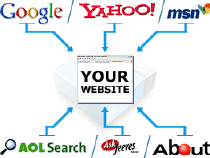
 Very often we receive questions about how to promote new website and get more visitors. While it’s easy enough creating new website from zero, everything becomes much more complicated when it comes to website promotion, online advertising and traffic. There is no wonder, because website promotion requires lots of skills and experience, and not all webmasters know how to start.
This guide was written to help you attracting more visitors and increasing website traffic. It should be useful for newbies and advanced users, because this guide covers most aspects of successful site marketing and most of methods are explained step by step. However, if you believe some methods are above your technical skills, don’t worry. Just skip these methods and continue to other. So enough chit chat, let’s get started!

1 – Search Engines Traffic.
Natural (or organic) traffic is type of traffic coming from all major search engines. If any visitor searches for some kind of information and finds your site in results, you get organic traffic! Unfortunately, it can be really hard (depending on your niche) to get website listed in the top of search engines. So one of things you may want to do – submit your URL to all major search engines manually. Usually just visit any search engine (where you want URL to be submitted) and type something like “submit URL” into search box. Engine will surely return a page where you may submit your URL for indexing. If your sites contains sitemap file (like sitemap.html or sitemap.xml), be sure to submit sitemap file as well - it will speed up whole indexing process.

2 – Links Exchange.
External links never hurt. The more websites will link to you, the more traffic you will get. It’s that simple! Swapping links is easy enough. All you need to do – find related websites and contact their webmasters asking to exchange text links with you. Ask webmaster to add your link to his site, and do the same for him. However, try exchanging text links with high quality sites only. Having links on junk site (which has low number of visitors) will not help much. It’s better to have one link from big website instead of having 10 links from tiny sites, remember it when looking for links exchange partners. If you want to know what is the easiest way finding links exchange partners, do this  - visit www.dmoz.org, select category related to your website, and then simply email webmasters of sites you like. Another way to find link partners is searching on Google.com for your top keywords. For example if you are willing to rank for "blue widgets", go to google.com and do a search for this keyword. You will get a list of top websites now try to contact owners of these websites and request link exchange.

3 – Link Directories.
There are thousands of link directories on the Internet. Some of them are free, and others are paid. This time we will focus on free directories only. Having links on directories not only helps increasing search engine rankings, but also help getting more visitors who come from directories to your site directly. The biggest free directory on the Internet is dmoz.org, but it accepts only very high quality websites. If you believe your site is really high quality, try submitting it to dmoz.org. Also you can find other directories easily. Just go to Google (or another favorite search engine) and type “free link directories”, "link directory", "backlinks directory", "links exchange directory" or something similar into search box. You will find hundreds of link directories waiting for your submission!

4 – Social Networks.
Social bookmarking networks works in similar way like link directories, but there are some differences too. The main difference from link directories is popularity. Social networks get millions of visits per day, so you may get more traffic too. However, to become successful in social networking, your site must contain high quality content. When you submit your URL to social site, other visitors can rate it. If rating is high, your URL is moved into main page where more people can see it. Adding links to social networking sites also will help getting better rankings in search engines. This work is pretty hard, so you may submit URLs manually or use any automated social bookmarks submitter software – it’s up to you. And here is the list of top 30 social bookmarking sites (where you may submit your URL) -  http://www.ebizmba.com/articles/social30

5 – Forum Traffic.
There are thousands of webmaster forums around, and most of them have special sections where members can reveal their websites for reviews and criticism. After posting a message about your website, you will get not only a direct backlink, but also professional tips and criticism from other community members. So you will know what needs to be improved. However, be sure to read forum rules before making any post (especially if you are a new member to forum). Different forums have different rules, and if your message will not comply to these rules, your account will be banned and message deleted. It’s better to spend minute reading basic rules, instead of posting message with your URL and getting everything deleted shortly. If you want to find forums where you may submit website for review, use  “webmaster forum”, “site showcase”, “show your site forum”, “site reviews forum” and similar terms in search engines – you will surely find hundreds of forums waiting for you.

6 – Signatures.
Many message boards, blogs and other websites allow visitors using signatures. If links in signatures are allowed (once again, read forum rules first), add one or more links (most sites allow adding up to 3 links in signatures) in your own signature. Once you will post a message, signature with backlinks to your site will be automatically inserted below message. Nice and easy way to build traffic, isn’t it?
Well, there are many more ways building traffic and attracting more and more visitors every day, but these tips should be really good start point for most new webmasters. Yes, there are even bad and unethical ways of website promotion and money making online, but we will not cover these strategies at the moment. However, we’ll try updating this guide often to reflect the latest changes on the Internet and deliver you the best results possible. Don’t worry if you don’t see the results right after starting – experience will come!

Good luck for you All.

Tips Merawat Email


Hati-hati, jaga dan rawatlah baik-baik email anda, karena setelah saya melakukan googling bagaimana cara merawat email yang baik dan benar? secara tidak sengaja saya menmukan artikel yang cukup menarik yaitu membahas security tentang email, cara menjaga email & bagaimana caranya supaya email kita aman dari tindakan pencurian, hacking, cracking, penyalahgunaan, dsb.
setelah saya coba kemudian saya menyimpulkan sebagai berikut :
Yang perlu kita perhatikan tentang email adalah: Perhatikan Contoh dibawah ini
Email
  1. Email menjadi SANGAT PENTING karena menjadi tempat & sumber dari segala registrasi dunia maya yang kita miliki, dimana didalamnya terdapat informasi mengenai data & informasi yang keluar dan masuk ke kita.
  2. Email harus dibuat dengan sebenar-benarnya agak bisa dipertanggung jawabkan ketika terjadi tindakan penyalahgunaan email & tidak perlu lagi tanya sana-sini untuk cari solusinya apabila terjadi penyalahgunaan email.
Berikut adalah contoh video pembuatan yahoo email yang saya ambil dari Youtube:


Hasil dari Melihat video tersebut maka :
  1. ANDA HARUS MEMBUAT INFORMASI EMAIL DENGAN SEBENAR-BENARNYA UNTUK MEMPERMUDAH VERIFIKASI & IDENTIFIKASI KETIKA TERJADI PENYALAHGUNAAN TERHADAP EMAIL.
  2. ISILAH ALTERNATE EMAIL SEBAGAI EMAIL KEDUA, SEHINGGA KETIKA TERJADI PENYALAHGUNAAN TERHADAP EMAIL, ANDA MENDAPATKAN INFORMASI PERUBAHAN EMAIL YANG TERJADI & MASIH BISA MELAKUKAN PEMBATALAN PERUBAHAN DARI ALTERNATE EMAIL.
  3. ISILAH SECURITY QUESTION & ANSWER DENGAN SESUATU YANG SULIT UNTUK DITEBAK NAMUN MUDAH DI INGAT OLEH ANDA.
  4. ISILAN CONTACT PHONE NUMBER UNTUK MEMPERMUDAH ANDA KETIKA TERJADI PERUBAHAN TERHADAP EMAIL & FORGOT PASSWORD .
  5. GUNAKAN ADVANCED SETTING ACCOUNT SECARA MAKSIMAL (EDIT ACCOUNT / ACCOUNT OPTION / MANAGE ACCOUNT, DSB).
  6. WAJIB!! JANGAN PERNAH SAMAKAN ANTARA PASSWORD EMAIL YANG SATU DENGAN YANG LAINNYA.
Kemudian untuk memperkuat penjagaan email, saran Saya selanjutnya adalah:
  • Gunakan Password Yang Kompleks (Minimal Ada: Angka, Huruf & Simbol).
  • Gunakan Password Yang Panjang (Minimal: 10 Karakter).
  • Gantilah Email Secara Berkala (Minimal: 6 Bulan Sekali).
  • Berhati-hatilah bila online di tempat umum (Pastikan tidak ada keylogger / backdoor di komputer tersebut) sebelum anda login.
  • Pastikan URL Address Website dengan benar, agar anda tidak salah login.
  • Jangan pernah memasukkan username & password email apabila ada permintaan pengisian username & email di Website selain penyedia jasa Email (URL yang bukan sebenarnya) (Kebanyakan Ini Scam / Phising).
  • Sering baca update security di website-website yang biasa anda kunjungi.
Setiap Email Provider Memiliki Help Central Masing-Masing, Bagi Anda Yang Belum Tahu, Berikut Listnya:
1. YAHOO: http://help.yahoo.com/
2. GMAIL: http://mail.google.com/support/
3. HOTMAIL/MSN: http://help.msn.com/
Jika terjadi sesuatu terhadap email anda, tidak perlu panik, yang perlu anda lakukan adalah:
  1. Cek alternative email anda, silakan cancel perubahan yang terjadi. Kemudian, silakan ganti password email anda, cek kembali konfigurasi email anda, ganti secret question & pastikan tidak ada backdoor di email anda.
  2. Apabila anda tidak mempunyai alternate email, cobalah ingat security question & answer anda kemudian silakan masukkan di forgot password.
  3. Klo masih belum bisa juga, silakan coba hubungi help center dari provider penyedia layanan email.
Belajarlah dari Help Center & tanyakan kepada Ahlinya (Help Center Support) apabila terjadi masalah pada email Anda. Jangan bertanya kepada orang yang tidak jelas yang menawarkan bantuan kepada Anda dengan meminta username & password anda (Kenyataannya: Inilah Tindakan Paling Konyol & Sembrono Yang Dilakukan Banyak Orang, Karena Anda Sendirilah Yang Memberikan Username & Password Anda Kepada Penjahat Yang Sesungguhnya). Atau mintalah bantuan / saran kepada orang yang tepat, paham, mengerti & sudah anda kenal.
SARAN TERAKHIR:
  1. JIKA ANDA BENAR-BENAR MEMBUTUHKAN EMAIL, MAKA ANDA HARUS MENGISI SELURUH KEBUTUHAN INFORMASI UNTUK EMAIL TERSEBUT. JANGAN PERNAH MENYESAL & MENYALAHKAN ORANG LAIN JIKA EMAIL ANDA RAIB KARENA KESALAHAN YANG DISEBABKAN OLEH ANDA SENDIRI & KESALAHAN TERSEBUT SUDAH ANDA LAKUKAN SEJAK AWAL PEMBUATAN EMAIL.
  2. JANGAN LUPA UNTUK SELALU UPDATE EMAIL (Alamat, No. Telp, Alternate Email, Security Question & Answer, Dsb).
Tapi yang pasti dari semua ini supaya email kita tidak di"hack" adalah sering-seringlah melakukan backup data, seperti yang dikatakan mas TeRReN, Saya juga tidak lupa saya ucapkan sekali lagi Hati-hati, jaga dan rawatlah baik-baik email anda. (,")

Cara Ampuh daftar Google Adsense

Kebanyakan orang yang mendaftar di google adsense banyak yang di tolak.. Mengapa?
Mungkin karena menggunakan subdomain [blogspot.com].
Dan juga, blognya masih menggunakan bahasa indonesia..
Nah, disini saya akan mencoba menjelaskan berdasarkan pengalaman teman-teman, bagaimana caranya agar di approve google adsense?

Langkah-langkahnya adalah,,,
Pertama
Buatlah blog di [www.blogger.com] mengapa harus membuat blog di blogger? karena blogger ini miliknya google jadi untuk mendaftar dan memasang adsense disini juga lebih mudah..

Kedua
Nah, kan blog sudah jadi? Domain anda pasti masih begini [nama-anda.blogspot.com] iya kan? Untuk mendaftar di google adsense, domainnya harus diganti dulu,, caranya adalah dengan membuat domain di www.cc.cc  .. Mengapa harus di www.cc.cc ? Karena, di sini, untuk setting ke blogger lebih mudah dan simpel sekali..

Ketiga
Blog anda kan masih baru? jadi tidak ada artikelnya.. Untuk masalah artikel gampang sekali... anda tinggal nyari di www.ezinearticles.com  ,, eiits,, jangan sembarangan copy,, sebelum dicopy,, artikel tadi harus ditranslate dulu ke bahasa italia atau spanyol atau belanda.. Untuk mentranslate artikel bisa menggunakan google translate.. kalo sudah ditranslate, silahkan paste artikel itu ke blog anda, dan link sumbernya bisa dihapus.. [INGAT! KALO MEMPOSTING ARTIKEL, TANGGAL POSTINGANNYA HARUS DIGANTI! MISALNYA ANDA MENDAFTAR PADA TAHUN 2011 PADA BULAN MEI, NAH POSTINGANNYA DISETTING TANGGAL 5 MEI 2010] TUJUAN DARI MENSETTING TANGGAL POSTINGAN ADALAH, AGAR BLOG YANG KITA BUAT TADI KELIHATAN SUDAH BERUMUR 1 TAHUN

*KALO BISA POSTING ARTIKEL SAMPE 25ARTIKEL, LEBIH BANYAK LEBIH BAGUS, DAN KESEMPATAN DI APPROVE SEMAKIN BESAR.

Ke-empat
Template anda masih jadul? Sebelum mendaftar di adsense, ganti dulu template anda dengan template yang mengandung iklan. Tujuannya adalah, agar pendapatan adsense anda lebih maksimal.

Kelima
Jika ke-empat cara di atas sudah dilakukan, silahkan langsung daftar google adsense di www.google.com/adsense  [PERLU, PENTING DIINGAT, SEBAIKNYA UNTUK MENDAFTAR DI GOOGLE ADSENSE DILAKUKAN JAM 7 SAMPAI JAM 8 PAGI. MENGAPA HARUS MENDAFTAR JAM 7-8 PAGI? KARENA, DI AMERIKA SERIKAT (KANTORNYA GOOGLE) SUDAH JAM MALAM,, JADI KEMUNGKINAN BESAR 99,9% ANDA AKAN DIAPPROVE GOOGLE ADSENSE]

JIKA ANDA MENDAFTAR JAM 7-8 PAGI, ACCOUNT ANDA AKAN DI APPROVE JAM 2-3 SIANG.. KALO GAK PERCAYA SILAHKAN DICOBA.. TRIK INI TERBUKTI 99,9% AMPUH!!

Kalo daftar di google adsense, bahasa bloggernya di ganti bahasa inggris, biar di dashboard muncul menu monetize [tempat masang adsense]

Nah, tutorial diatas kan caranya agar di approve google adsense secara cepat.. Jika anda mengikuti cara di atas, otomatis blog anda adalah bahasa luar negeri,, nah, blog yang anda buat tadi adalah cuma buat pancingan google adsense saja supaya cepat di approve,,
Sekarang buatlah blog pribadi dengan bahasa indonesia.. Nah untuk menampilkan adsense di blog bahasa indonesia, akan saya jelaskan di artikel selanjutnya.. Capek nih yang mau ngetik..

Terima Kasih.. Jangan Lupa komentarnya yah,,,

Having a top rank in Google

Are you want your blog or website as top rank in Google?
seo your websiteHaving a top rank in Google is the holy grail for anyone who has a website. Organic Google traffic is free advertising and how most bloggers (especially those just starting out) achieve visitors and traffic to their site. It all comes down to a simple numbers game. Essentially, more traffic = more money-making opportunities from your blog. The question is, how do you get ranked higher for my blog posts using Blogger?


Before I tell you how, let me give you a quick lesson is search engine optimization (aka SEO). There are two main components: “off-page” and “on-page” optimization. “Off-page” SEO refers to tactics such as link building. The more websites that point their links to your blog/website, the better. It’s a democratic way of showing Google that your site must be important if lots of people are pointing to it. Even more important with “off-page” inbound links is the actual link text (anchor text) that is used to point to your site.

Here’s my proof. If you search Google for the term “click here” you’ll see that Adobe Reader and Apple’s Quicktime software are in the top 3 results. Why? Because so many other sites are linking to these two sites with “click here” as the anchor text to download their software. That’s the power of “off-page” SEO which you as a blogger can’t do much about besides writing such great unique content that generates lots of links.

So with “on-page” SEO you have complete control over how well you’re optimized for Google. This includes keywords in your post titles, title tags, using header tags (h1, h2) and other tactics. Now the one we’re going to focus on in this article is the blog title tag.

Title tags are one of the most (if not the most) important “on-page” elements to ranking high in Google. Search engines such as Google weigh the importance of each word in the title from left to right. So ideally you want your blog post title all the way to the left and your actual blog name to the right. Below is a perfect example of how this should look.

blogger seo title

Blogger templates by default don’t come with search engine optimized (SEO) title tags meaning you aren’t maximizing your blog to rank better in Google. If you take a look at your existing Blogger title you’ll see that blogger displays the blog name first then followed by your post title. They have it backwards so let’s get your blog setup properly.

We’re going to have to make a quick edit to your Blogger template which might intimidate some of you but it’s very small and painless. All I ask you to do first is to backup your template just in case you make a boo boo. That makes it easy to revert back without much headache.


Step #1


In your Blogger dashboard, go to “Layout” => “Edit HTML”.


Step #2


In the template code, do a search for this: <title><data:blog.pageTitle/></title>. It’s usually in the first 5-10 lines of code in your template near the top.


Step #3


Replace that bit of code with the following code:

<b:if cond='data:blog.pageType == &quot;index&quot;'>

<title><data:blog.title/></title>

<b:else/>

<title><data:blog.pageName/> | <data:blog.title/></title>

</b:if>


Step #4


Save your template and go back to your blog. Click into any individual post and look at the page title.

All your blogger posts are now much better optimized to rank higher in Google. I’m not going to promise you a night and day difference but you’ve taken a step in the right direction. Now just go post unique high quality content so people searching Google will find your blog first.

Let's do it.

Google Addresses

Google Addresses in the world
in this post there are some url address from google all over the world. Immediately, see below:

USA (.com) www.google.com
Afghanistan (.com.af) www.google.com.af
American Samoa (.as) www.google.As
Anguilla (.off.ai) www.google.off.ai
Antigua and Barbuda (.com.ag) www.google.com.ag
Argentina (.com.ar) www.google.com.ar
Armenia (.am) www.google.am
Australia (.com.au) www.google.com.au
Austria (.at) www.google.at
Azerbaijan (.az) www.google.az
Bahrain (.com.bh) www.google.com.bh
Bangladesh (.com.bd) www.google.com.bd
Belgium (.be) www.google.be
Belize (.com.bz) www.google.com.bz
Bolivia (.com.bo) www.google.com.bo
Bosnia and Herzegovina (.ba) www.google.ba
Botswana (.co.bw) www.google.co.bw
Brazil (.com.br) www.google.com.br
British Virgin Islands (.vg) www.google.vg
Bulgaria (.bg) www.google.bg
Burundi (.bi) www.google.bi
Canada (.ca) www.google.ca
Chile (.cl) www.google.cl
China (.cn) www.google.cn
Colombia (.com.co) www.google.com.co
Congo, Democratic Republic of the (.cd) www.google.cd
Congo, Republic of the (.cg) www.google.cg
Cook Islands (.co.ck) www.google.co.ck
Costa Rica (.co.cr) www.google.co.cr
Croatia (.hr) www.google.hr
Cuba (.com.cu) www.google.com.cu
Czech Republic (.cz) www.google.cz
Cote dCase Ivoire (.ci) www.google.ci
Denmark (.dk) www.google.dk
Djibouti (.dj) www.google.dj
Dominica (.dm) www.google.dm
Dominican Republic (.com.do) www.google.com.do
Ecuador (.com.ec) www.google.com.ec
Egypt (.com.eg) www.google.com.eg
El Salvador (.com.sv) www.google.com.sv
Estonia (.ee) www.google.ee
Ethiopia (.com.et) www.google.com.et
Fiji (.com.fj) www.google.com.fj
Finland (.fi) www.google.fi
France (.fr) www.google.fr
Gambia (.gm) www.google.gm
Germany (.de) www.google.de
Gibraltar (.com.gi) www.google.com.gi
Greece (.com.gr) www.google.com.gr
Greenland (.gl) www.google.gl
Guatemala (.com.gt) www.google.com.gt
Guernsey (.gg) www.google.gg
Haiti (.ht) www.google.ht
Honduras (.hn) www.google.hn
Hong Kong (.com.hk) www.google.com.hk
Hungary (.hu) www.google.hu
Iceland (.is) www.google.is
India (.co.in) www.google.co.in
Indonesia (.co.id) www.google.co.id
Ireland (.ie) www.google.ie
Isle of Man (.co.im) www.google.co.im
Israel (.co.il) www.google.co.il
Italy (.it) www.google.it
Jamaica (.com.im) www.google.com.im
Japan (.co.jp) www.google.co.jp
Jersey (.co.je) www.google.co.je
Jordan (.jo) www.google.jo
Kazakhstan (.kz) www.google.kz
Kenya (.co.ke) www.google.co.ke
Kyrgyzstan (.kg) www.google.kg
Latvia (.lv) www.google.lv
Lesotho (.co.ls) www.google.co.ls
Libya (.com.ly) www.google.co.ly
Liechtenstein (.li) www.google.li
Lithuania (.lt) www.google.lt
Luxembourg (.lu) www.google.lu
Malawi (.mw) www.google.mw
Malaysia (.com.my) www.google.com.my
Malta (.com.mt) www.google.com.mt
Mauritius (.mu) www.google.mu
Mexico (.com.mx) www.google.com.mx
Micronesia (.fm) www.google.fm
Mongolia (.mn) www.google.mn
Montserrat (.ms) www.google.ms
Morocco (.co.ma) www.google.co.ma
Namibia (.com.na) www.google.com.na
Nepal (.com.np) www.google.com.np
Netherlands (.nl) www.google.nl
New Zealand (.co.nz) www.google.co.nz
Nicaragua (.com.ni) www.google.com.ni
Norfolk Island (.com.nf) www.google.com.nf
Norway (.no) www.google.no
Oman (.com.om) www.google.com.om
Pakistan (.com.pk) www.google.com.pk
Panama (.com.pa) www.google.com.pa
Paraguay (.com.py) www.google.com.py
Peru (.com.pe) www.google.com.pe
Philippines (.com.ph) www.google.com.ph
Pitcairn (.pn) www.google.com.pn
Poland (.pl) www.google.pl
Portugal (.pt) www.google.pt
Puerto Rico (.com.pr) www.google.com.pr
Qatar (.com.qa) www.google.com.qa
Romania (.ro) www.google.ro
Russia (.ru) www.google.ru
Rwanda (.rw) www.google.rw
Saint Helena (.sh) www.google.sh
San Marino (.sm) www.google.sm
Saudi Arabia (.com.sa) www.google.com.sa
Senegal (.sn) www.google.sn
Seychelles (.sc) www.google.sc
Singapore (.com.sg) www.google.com.sg
Slovakia (.sk) www.google.sk
Slovenia (.si) www.google.si
South Africa (.co.za) www.google.co.za
South Korea (.co.kr) www.google.co.kr
Spain (.es) www.google.es
Sri Lanka (.lk) www.google.lk
St.Vincent and the Grenadines (.com.vc) www.google.com.vc
Sweden (.se) www.google.se
Switzerland (.ch) www.google.ch
Taiwan (.com.tw) www.google.com.tw
Tajikistan (.com.tj) www.google.com.tj
Thailand (.co.th) www.google.co.th
The Bahamas (.bs) www.google.bs
Tonga (.to) www.google.to
Trinidad and Tobago (.tt) www.google.tt
Turkey (.com.tr) www.google.com.tr
Turkmenistan (.tm) www.google.tm
U.S. Virgin Islands (.co.vi) www.google.co.vi
Uganda (.co.ug) www.google.co.ug
Ukraine (.com.ua) www.google.com.ua
United Arab Emirates (.ae) www.google.ae
United Kingdom (.co.uk) www.google.co.uk
Uruguay (.com.uy) www.google.com.uy
Uzbekistan (.co.uz) www.google.co.uz
Venezuela (.co.ve) www.google.co.ve
Vietnam (.com.vn) www.google.com.vn
Zambia (.co.zm) www.google.co.zm

Let's get for you..

Ping Service for Blog Promotions

Gone way to promote your blog is to use ping service facilities.
This way is a practical way for the blog is always known to many visitors.
Bloggers actually have provided a ping service can be found on page settings-> Publish-> ping. if you are not satisfied with the Blogger service you can choose the one service that is below.


Ping Tips:
Ping if you've updated your blog.
Ping if you do the latest post
Do not do ping too often because it can be said as spam
Ping necessary and not excessive.


My Favorite Ping is:
http://mypagerank.net/service_pingservice_index
http://pingomatic.com/

Below is a collection of addresses ping services that you can use for blog promotion:

Select for you.

 
JHS data global ^Back to TOP
Redesign by Template second